Seed cards & adding seeds
Add, edit and delete seed packets, and use the Seed Cards view.
Click + Add Seed Packet (or the round Add seeds button at the bottom of the screen) to add a crop. The quickest way: type in Find it in the seed library (for example tom) and pick a crop or variety to fill in every field (see Seed library). Or choose the plant (common ones fill in sensible timing), add the variety, pick a card color and type, then set the timing from your packet.
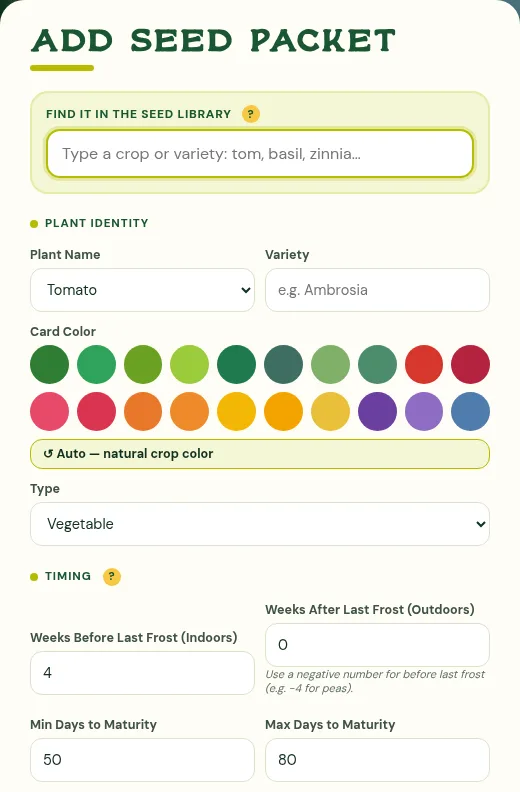
- Weeks Before Last Frost (Indoors): how early to start inside. Use 0 for crops you only sow outside.
- Weeks After Last Frost (Outdoors): when it can go in the ground.
- Days to maturity and harvest type (Standard, harvested once, or Continuous, cut-and-come-again) shape the harvest bar.
- Plant again after this: plan succession rounds for the same crop or a follow-on crop.
The Seed Cards view
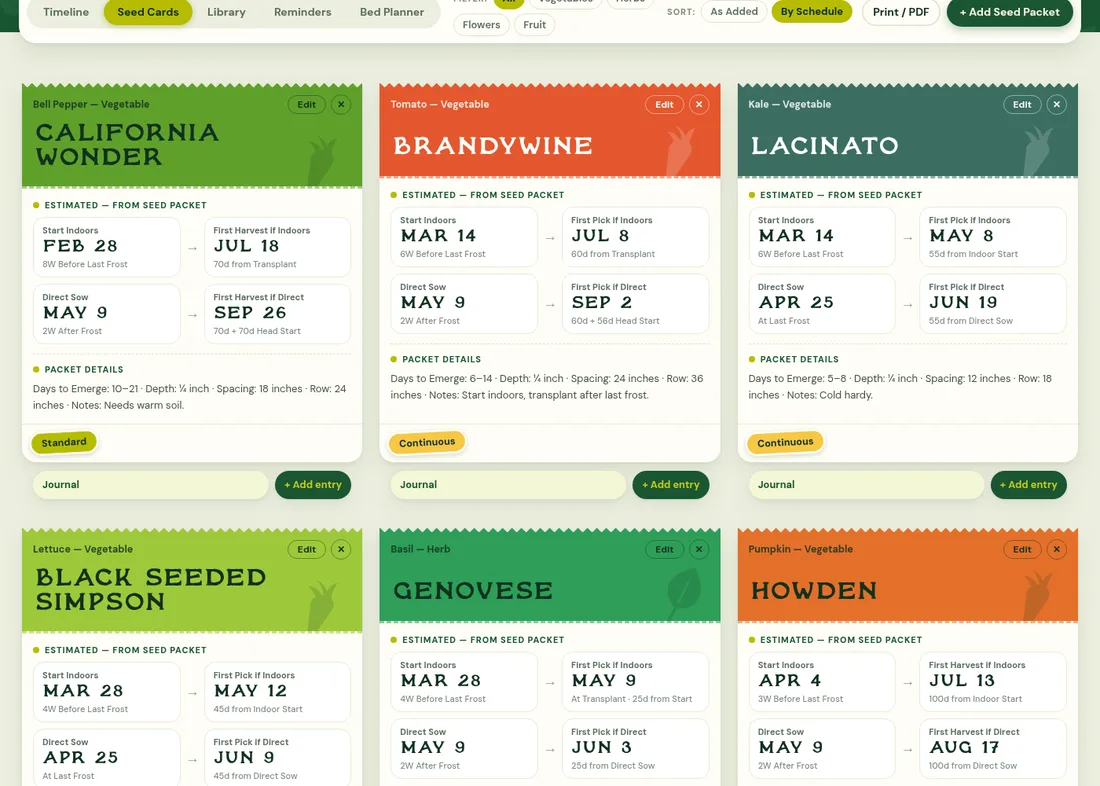
The Seed Cards tab shows each crop as a card. Until you mark it planted, the estimated dates read left to right, one row per way of planting:
- Start Indoors → First harvest if indoors
- Direct Sow → First harvest if direct
The sticker at the bottom says whether the crop is Standard or Continuous. Cards also list succession rounds, packet details and notes, and link to the journal. Use Edit and ✕ on a card to change or delete it. Clicking a crop's name on the timeline opens its card.